
Guide
Payment reminder email templates for every stage
Published · By RecordSplit
A payment reminder email is a short, polite message asking a customer to pay an invoice, sent before it is due, on the due date or once it is overdue. It names the invoice, the amount and the due date, and tells the customer how to pay.
Reminders usually get firmer as an invoice moves from "due soon" to overdue: a friendly heads-up first, then a clear request, then a direct final reminder with a date. Below are seven copy-ready templates for each stage, with subject lines, plus what to include, what not to say and when a late fee belongs in the email.
If you invoice with RecordSplit, you can send a reminder from the invoice itself. See invoicing and receivables.
Before you use them
When to send payment reminders
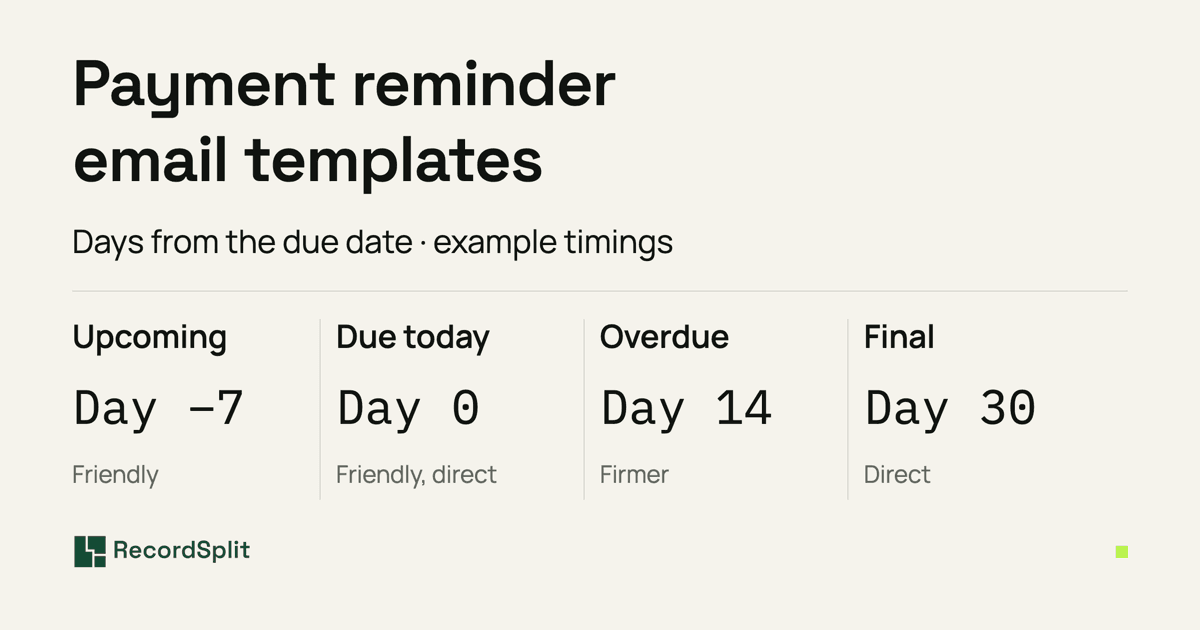
There is no fixed rule, but most businesses follow a sequence like this one. Overdue timing is counted from the invoice's due date, so if you're not sure when an invoice falls due, work it out from the invoice date and payment terms with the invoice due date calculator.
| Stage | Example timing | Tone |
|---|---|---|
| Upcoming | 3–7 days before the due date | Friendly |
| Due today | On the due date | Friendly and direct |
| First overdue | A few days overdue | Polite |
| Follow-up | Around 14 days overdue | Firmer |
| Final reminder | Around 30 days overdue | Direct |
| Partial payment | After a partial payment arrives | Clear and neutral |
Adjust the timing to your customers and terms. A long-standing client who always pays might only need the overdue reminders; a large invoice might deserve a phone call before the final reminder. Whatever you choose, use the same sequence for every customer so nobody is chased harder than anyone else.
As the tone gets firmer, the email gets shorter and more specific, not angrier. Early reminders assume the customer simply forgot. Later ones state the amount, how overdue it is and the date you need payment by, and ask the customer to reply if something is wrong.
Payment reminder email templates
Each template has a subject line and an email body. Replace everything in [square brackets] before sending. [Payment instructions] is where you say how to pay, such as your bank transfer details or the payment methods you accept.
1. Before the due date
Send this 3 to 7 days before the invoice is due. It's a courtesy note, not a chase, so keep it light and don't suggest the customer is late.
Subject
Reminder: Invoice [Invoice number] is due on [Due date]
Hi [Customer name], Just a quick reminder that invoice [Invoice number] for [Amount due] is due on [Due date]. [Payment instructions] If you need another copy of the invoice or have any questions about it, just reply to this email. Thanks, [Your name] [Business name]
2. Due today
Send this on the due date. Friendly and direct: say the invoice is due today and make paying easy.
Subject
Invoice [Invoice number] is due today
Hi [Customer name], This is a reminder that invoice [Invoice number] for [Amount due] is due today, [Due date]. [Payment instructions] If you've already sent the payment, thank you, and please ignore this email. Thanks, [Your name] [Business name]
3. First overdue reminder
Send this a few days after the due date. Most late payments are an oversight, so stay polite and give the customer an easy way to tell you if the payment is already on its way.
Subject
Friendly reminder: Invoice [Invoice number] is overdue
Hi [Customer name], I hope you're well. Our records show that invoice [Invoice number] for [Amount due], due on [Due date], hasn't been paid yet. If the payment is already on its way, thank you. Could you let me know when it was sent so I can match it up? If not, here's how to pay: [Payment instructions] If anything on the invoice needs a second look, reply here and I'll sort it out. Thanks, [Your name] [Business name]
4. Firmer follow-up
Send this at around two weeks overdue, when an earlier reminder hasn't worked. The tone is still professional, but the balance and what you need from the customer are stated plainly.
Subject
Payment reminder: Invoice [Invoice number] is [Days overdue] days overdue
Hi [Customer name], I'm following up on invoice [Invoice number] for [Amount due]. It was due on [Due date] and is now [Days overdue] days overdue, and I haven't had a reply to my earlier reminder. Please arrange payment this week, or reply to let me know when we can expect it. [Payment instructions] If there's a problem with the invoice or with paying it, tell me and we can work it out. Regards, [Your name] [Business name]
Optional, only if your agreement includes a late fee
A late fee of [Late fee amount or rate] may apply in accordance with our agreed payment terms.
5. Final reminder
Send this at around 30 days overdue, after earlier reminders have gone unanswered. Be direct, give a specific date and leave the door open to talk. If you have already decided on a next step that you're entitled to take, such as pausing further work until the account is up to date, you can say so plainly. Don't mention a step you haven't decided on.
Subject
Final payment reminder: Invoice [Invoice number]
Hi [Customer name], Invoice [Invoice number] for [Amount due] was due on [Due date] and is now [Days overdue] days overdue. I've sent reminders and haven't yet received payment or a reply. Please arrange payment by [Payment deadline]. If there's an issue preventing payment, contact me before then so we can discuss next steps. [Payment instructions] I'd much prefer to settle this directly with you, and I look forward to hearing from you. Regards, [Your name] [Business name]
Optional, only if your agreement includes a late fee
A late fee of [Late fee amount or rate] may apply in accordance with our agreed payment terms.
6. Partial payment received
Send this when the customer has paid part of the invoice. Thank them for what arrived and state the remaining balance clearly, without treating it as a dispute.
Subject
Remaining balance on invoice [Invoice number]
Hi [Customer name], Thank you for your payment of [Amount received] toward invoice [Invoice number]. The remaining balance of [Amount due] was due on [Due date]. Could you let me know when we can expect it? [Payment instructions] If you think the balance is different, reply with the details and I'll check our records. Thanks, [Your name] [Business name]
7. When a customer asks for more time
Use this when a customer replies asking for more time. Only confirm a new date if you actually agree to it. If you can't agree one yet, ask when they can pay instead. Keep the change to the payment date, so the rest of your terms aren't rewritten by accident.
Subject
Re: Invoice [Invoice number]
Hi [Customer name], Thanks for letting me know, and for getting in touch about invoice [Invoice number]. We can accept payment of the outstanding [Amount due] by [New payment date]. This changes the payment date for this invoice only; everything else on the invoice and in our payment terms stays the same. [Payment instructions] If anything changes before then, please let me know. Thanks, [Your name] [Business name]
Payment reminder email subject line examples
A good subject line says which invoice the email is about, so the customer can find it and their accounts team can match it. Put the invoice number in every subject line and keep it short enough to read on a phone.
Friendly, before the due date
- Friendly reminder: Invoice [Invoice number]
- Upcoming payment reminder for invoice [Invoice number]
- Invoice [Invoice number] is due on [Due date]
On the due date
- Invoice [Invoice number] is due today
- Reminder: Invoice [Invoice number] for [Amount due] is due today
Overdue
- Payment reminder: Invoice [Invoice number] is overdue
- Invoice [Invoice number]: payment outstanding
- Reminder: [Amount due] outstanding on invoice [Invoice number]
Final reminder
- Final payment reminder: Invoice [Invoice number]
- Action required: Invoice [Invoice number] remains unpaid
Avoid capitals, exclamation marks and words like "urgent" in early reminders. They read as aggressive and can make the email look like spam.
What to include in a payment reminder
Every reminder, at any stage, should let the customer pay without having to look anything up:
- The customer's name, so it reaches the right person.
- The invoice number.
- The amount still outstanding.
- The original due date.
- How many days overdue it is, once it is overdue.
- What you're asking for: payment, a payment date or a reply.
- How to pay.
- Who to contact with questions about the invoice.
- The invoice itself, attached or as a link, where you can include it.
A reminder is easier to write when the invoice already states its terms clearly. See how to write payment terms on an invoice.
What not to say in an overdue payment reminder
A firm reminder works because it is clear, not because it is threatening. Avoid:
- Threats you don't intend to carry out, or don't have the right to.
- Saying legal action has started when it hasn't.
- Claiming late fees or interest that your agreement doesn't provide for, or that may not be allowed.
- Hostile, sarcastic or insulting language, even in a final reminder.
- Copying in people who don't need to see it, or chasing the customer publicly.
- Deadlines you won't stick to.
- Assuming the customer hasn't paid at all. The payment may still be processing, or it may not have been matched to the invoice yet.
If it goes further
Mentioning a late fee
Only mention a late fee if it is already part of the agreement or payment terms the customer accepted, and is permitted by the rules that apply to you. If it isn't, leave it out: a reminder can't add a fee the customer never agreed to.
Where your terms do include one, a short neutral line is enough. The firmer follow-up and the final reminder above have it as an optional extra:
Optional late-fee line
If your customer agreement already includes a late fee, you can use the late fee calculatorto work out the charge at that agreed rate. It does the arithmetic for the rate you enter; it doesn't tell you whether a fee is allowed.
Tracking which invoices need a reminder
Reminders only work if they go out on time and nobody gets the wrong one. Keep a record of which invoices:
- are coming up to their due date,
- are overdue, and by how many days,
- have already had a reminder, and which one,
- have been partly paid,
- need a follow-up or a phone call.
The free invoice tracker spreadsheet keeps each invoice's status, amount paid and balance in one list, with a notes column for the reminders you've sent. For a view across all customers, the accounts receivable aging template groups unpaid balances by how overdue they are; its age buckets line up roughly with the reminder stages above.
Sending invoice reminders with RecordSplit
RecordSplit doesn't send reminders on its own. When an issued invoice still has a balance due, an owner can open it and choose Send reminder. Each reminder is sent only when you send it, and is recorded in the invoice's activity history.
The reminder email includes:
- The balance due and the due date, with a line saying the invoice is past its due date when it is.
- A View invoice link, so the customer can open the invoice online, including any payment instructions you added to it.
- The invoice PDF as an attachment, when the invoice can be produced as a PDF.
- An optional note of up to 1,000 characters. You can paste the wording from one of the templates above.
RecordSplit sets the subject line itself ("Payment reminder: Invoice [Invoice number] from [Business name]"), so the subject lines on this page are for reminders you send from your own email. RecordSplit doesn't collect payments online, so tell customers how to pay in the invoice's payment instructions or in your note.
The workflow is: track the invoice, see what is outstanding, send the reminder, and give the customer access to the invoice.

Frequently asked questions
How do you politely remind someone to pay an invoice?
What should a payment reminder email say?
When should you send an invoice payment reminder?
How many payment reminders should you send?
What do you say when an invoice is overdue?
Should you mention late fees in a payment reminder?
See what's outstanding, then send the reminder.
Create invoices, record payments as they arrive and see every unpaid balance by customer and age. Send a reminder from the invoice when you decide to.